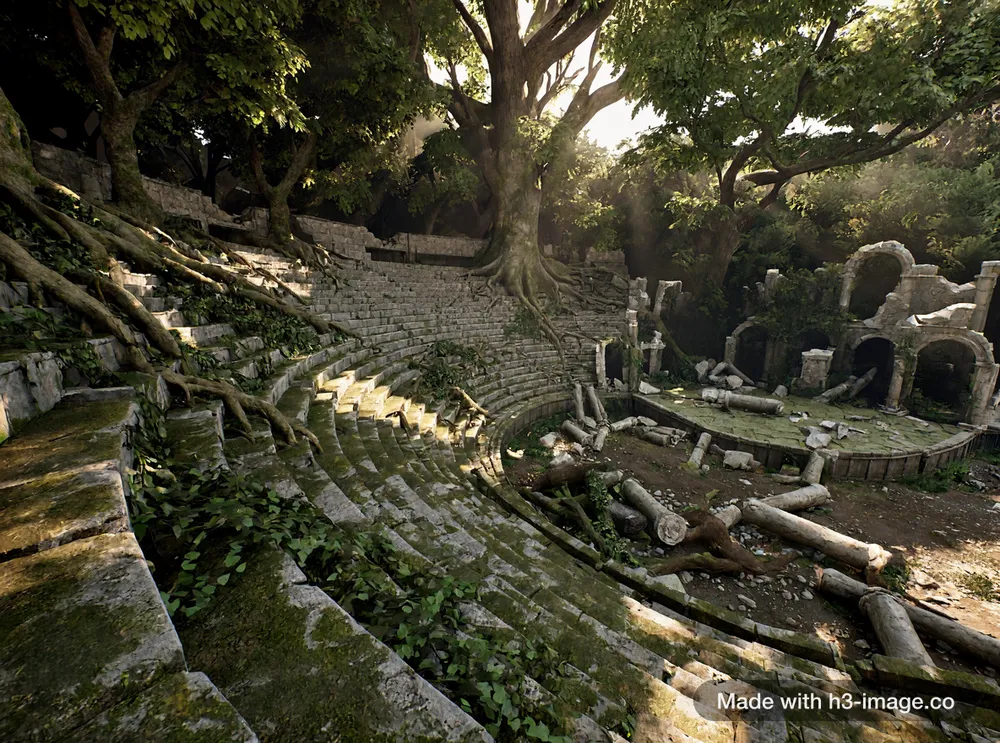
Describe a level, a ruin or a prop set and get engine-style concept art that sticks to what you wrote.
3D game environment concept art: an ancient stone amphitheatre half-swallowed by a forest, giant tree roots breaking through the seating tiers, collapsed arches and fallen columns, moss and ivy, shafts of morning light through the canopy, realistic game-engine render, no characters
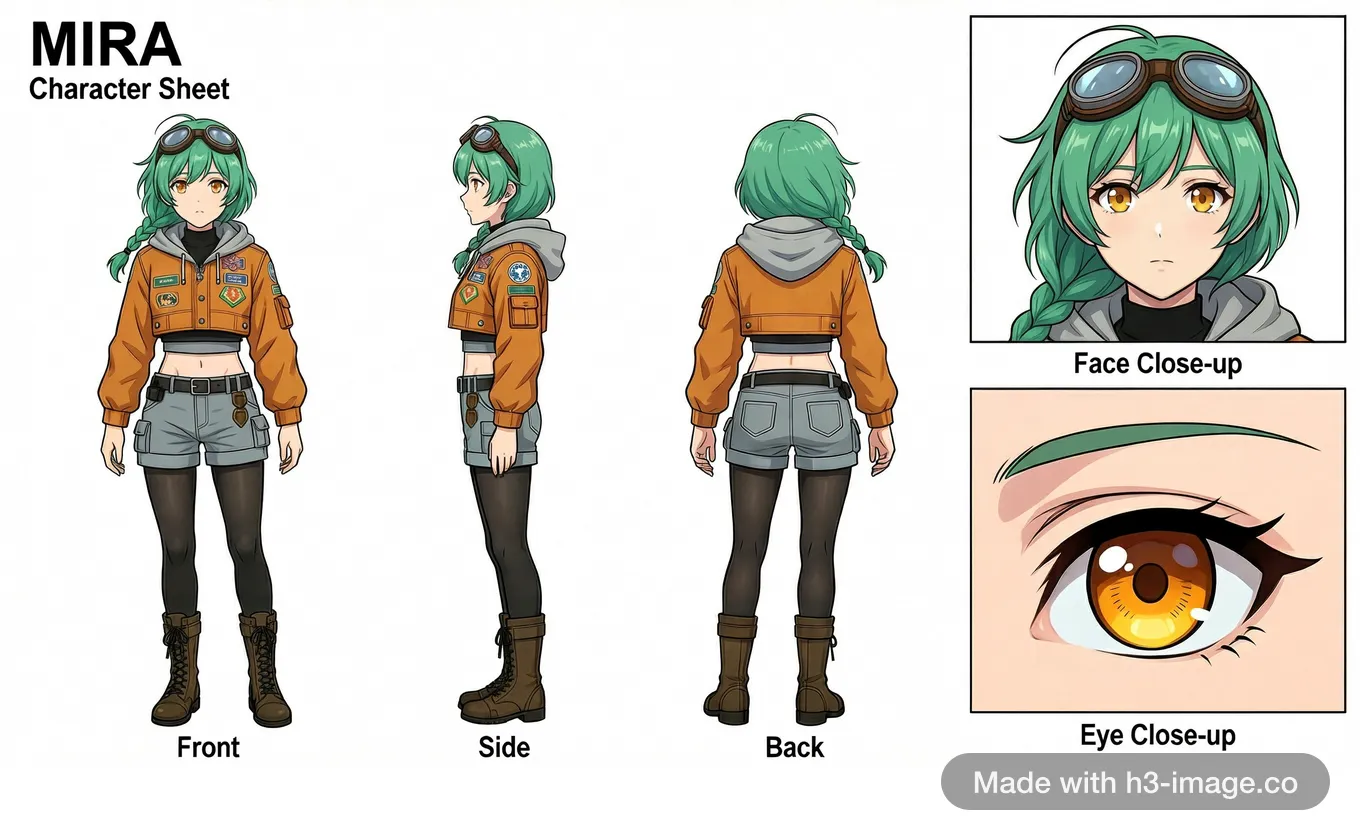
Upload a few screenshots of a character, or describe one in a sentence, and get a model sheet with labelled turnaround views and close-ups.
<Picture 1> to <Picture 3> show the same character; <Picture 1> shows the full figure from head to feet. Create a new 16:9 character model sheet of this character on a clean white background, in the drawing style of the references. Keep the face, eye colour, hair, accessories and every part of the outfit exactly as in the references; change only the pose, scale and lighting. Use even, neutral daylight with no shadows or colour cast from the reference scenes. Top left: the title "MIRA" with the subtitle "Character Sheet" beneath it. Left two-thirds: three full-body views at the same scale in a relaxed standing pose, labelled "Front", "Side" and "Back"; the side view is a true left profile and the back view shows no face. Right third: two stacked panels. The upper panel, labelled "Face Close-up", shows her head and shoulders from the front. The lower panel, labelled "Eye Close-up", is an extreme close-up of just one of her amber eyes with its eyelashes and eyebrow, filling the whole panel; no face outline, body, clothing or shoes appear in that panel.
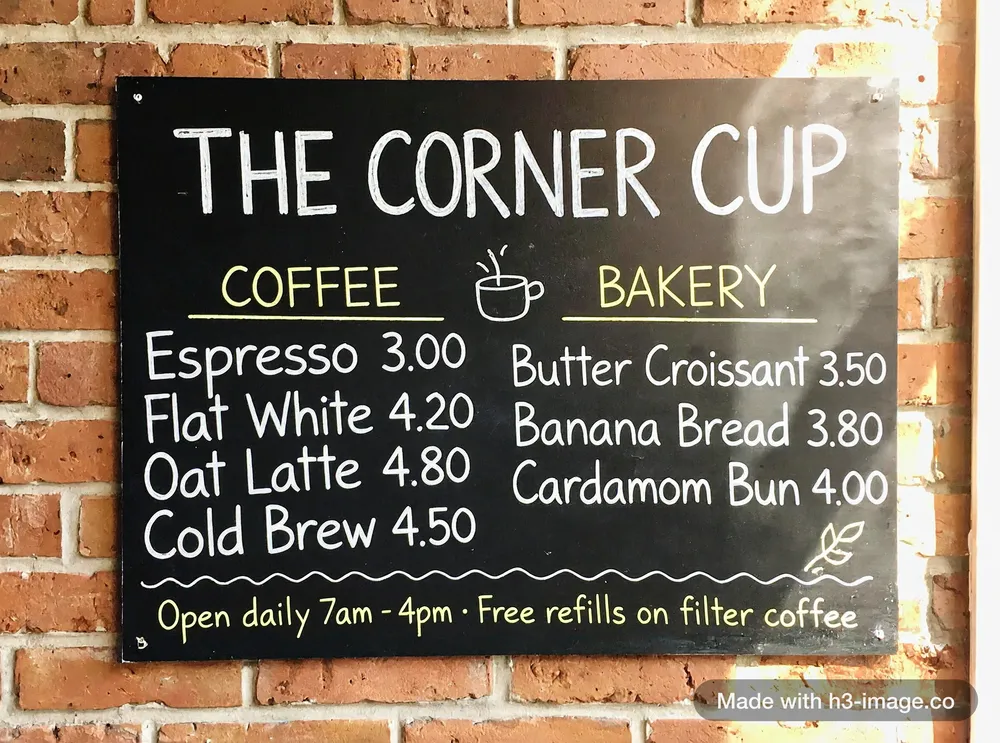
Menus, letters, labels, signs and infographics with the exact words you typed.
A café chalkboard menu hanging on a brick wall, hand-lettered in white and yellow chalk. Title at the top: "THE CORNER CUP". Two columns. Left column under "COFFEE": "Espresso 3.00", "Flat White 4.20", "Oat Latte 4.80", "Cold Brew 4.50". Right column under "BAKERY": "Butter Croissant 3.50", "Banana Bread 3.80", "Cardamom Bun 4.00". At the bottom: "Open daily 7am – 4pm · Free refills on filter coffee". Small chalk doodles of a coffee cup and a leaf. Warm morning light, photo.
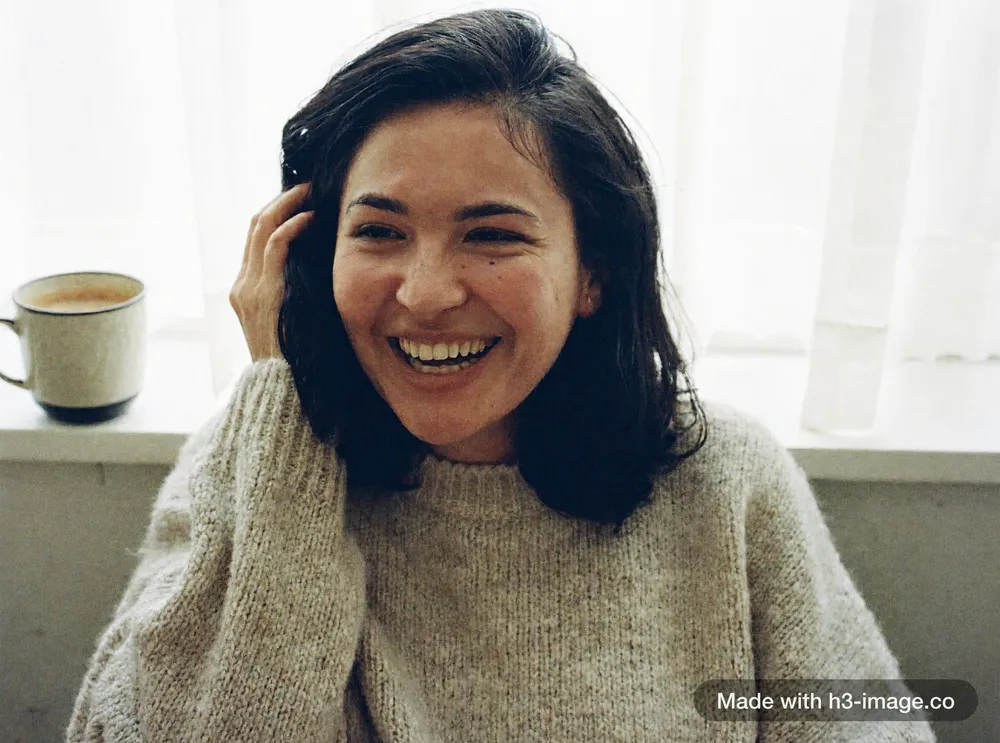
Close-ups with real skin, stray hair and natural light, and candid frames that look like someone just picked up a camera.
Candid at-home snapshot of a woman in her early thirties with shoulder-length dark hair and a small mole under her left eye, wearing an oversized oatmeal knit sweater, sitting on a windowsill with a mug of coffee, caught mid-laugh as she pushes her hair back with one hand and looks slightly away from the camera. Close-up from the chest up. Soft diffused morning light through a sheer white curtain falls on her face, exposure set for the face, bright high-key image, low contrast, muted colours, fine film grain. Visible pores, fine baby hairs at the hairline, loose strands of hair catching the light, no retouching. Avoid: plastic skin, heavy smoothing, doll-like face, dark face, grey whites.
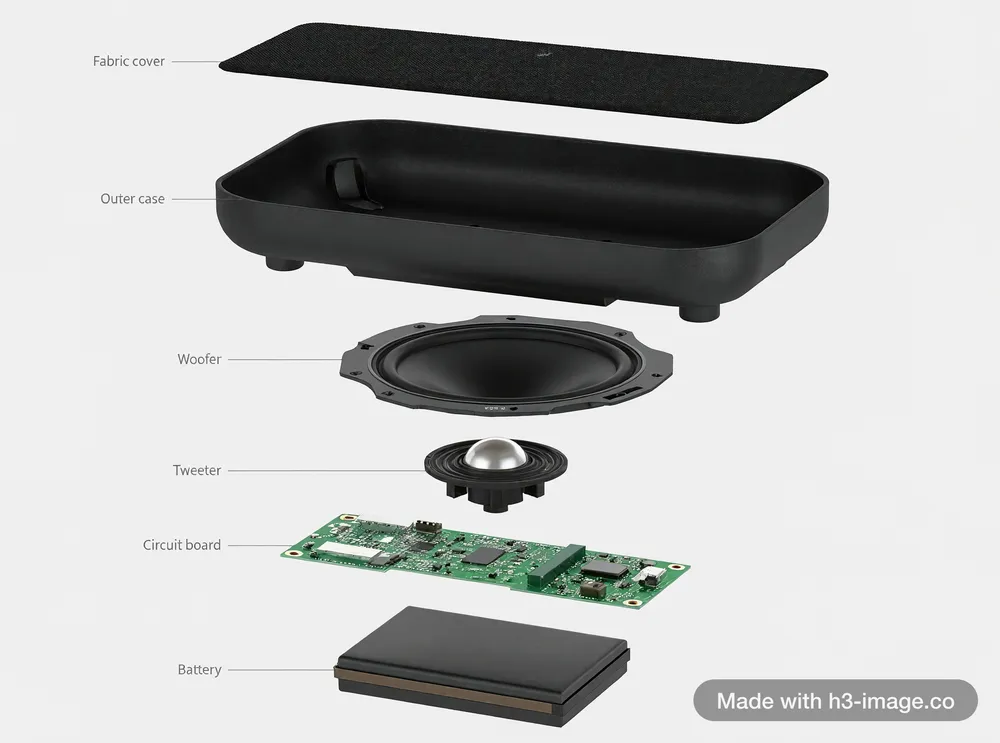
Start from one photo of your product and get it in a new scene, from a new angle, as a technical breakdown or in a finished ad, with its shape, colour and details kept the same.
Exploded view of a compact wireless speaker on a plain light grey background. Its parts float apart in a vertical line in this order from top to bottom, each with a thin leader line that points to its own part and a small label with exactly this text: "Fabric cover" on a black fabric grille panel, "Outer case" on a matte black rectangular shell, "Woofer" on a large round paper-cone speaker driver, "Tweeter" on a small dome speaker driver, "Circuit board" on a green printed circuit board, "Battery" on a rectangular battery pack. No other text. Realistic components, clean technical product render.
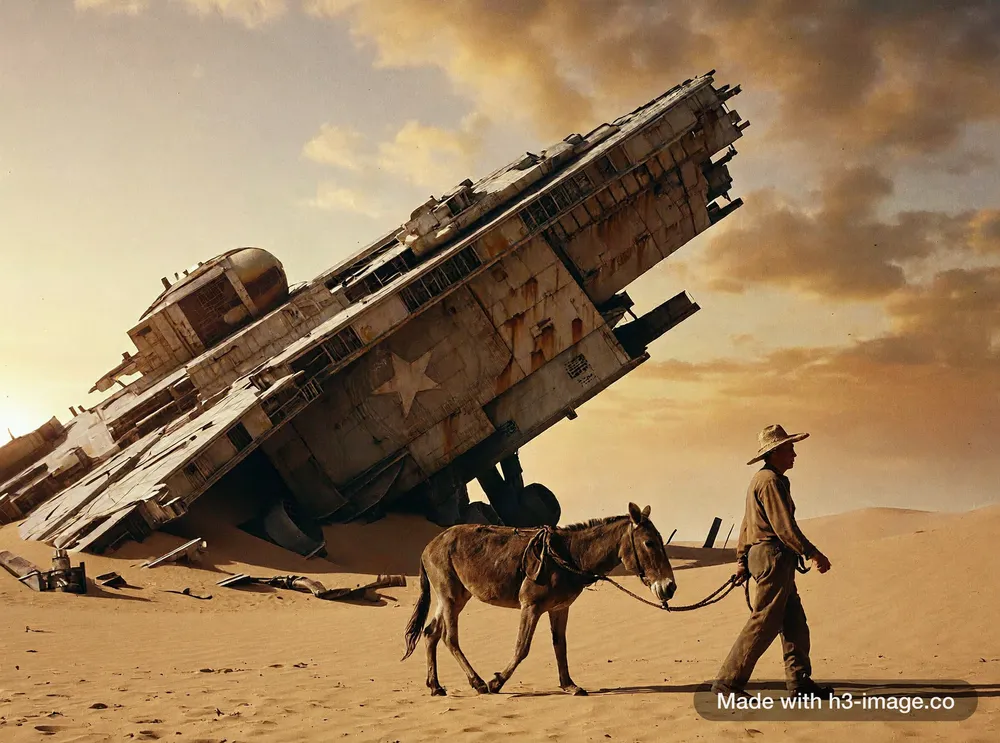
Frames that look shot on film rather than rendered: real materials, natural light and a camera you can place.
A 35mm film photograph of a colossal derelict starship half-buried in desert sand, a lone farmer leading a mule past it in the foreground for scale, hazy late-afternoon light, real-world materials and weathering, rust streaks and sand drifts against the hull, muted film colours, fine grain
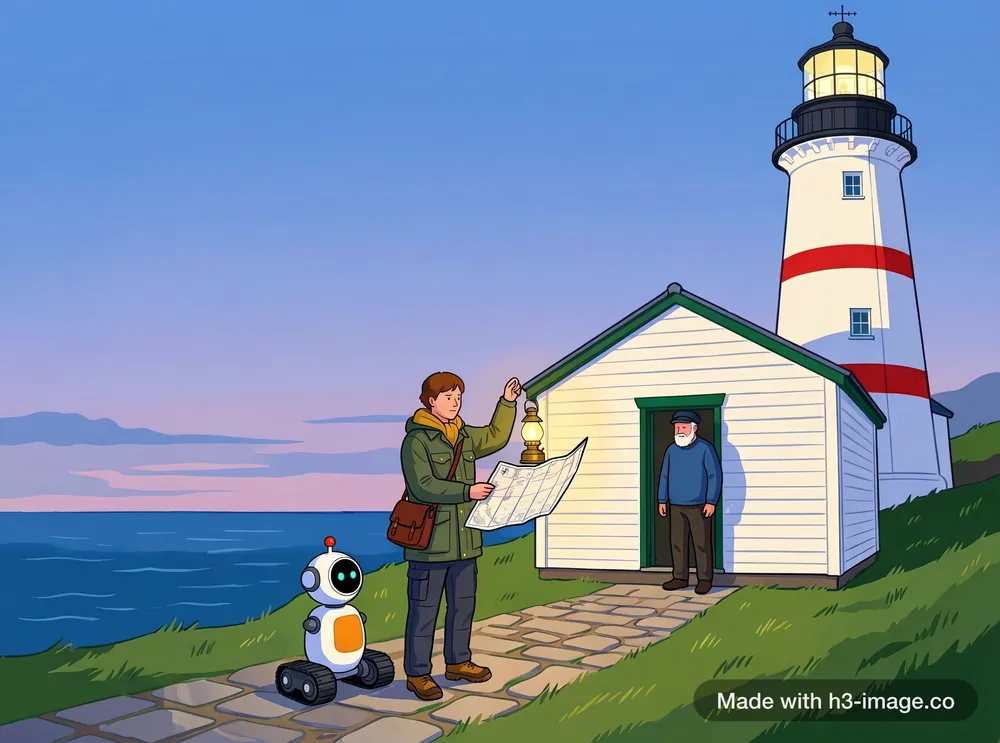
Upload up to 16 images at once (people, props, a place, a painting style, a colour card) and say in one prompt how they fit together.
<Picture 1> is the explorer, <Picture 2> is the robot, <Picture 3> is the lighthouse keeper, <Picture 4> is the brass lantern, <Picture 5> is the sea chart, <Picture 6> is the lighthouse, <Picture 7> is only a painting-style reference and <Picture 8> is only a colour palette. Create one new scene at dusk on the stone path in front of the lighthouse from <Picture 6>. The explorer from <Picture 1> holds up the brass lantern from <Picture 4> in her right hand and holds the open sea chart from <Picture 5> in her left hand, turning it towards the keeper from <Picture 3>, who stands in the doorway of the cottage with empty hands. The robot from <Picture 2> waits beside her on its treads. There is only one cottage in the scene, at the base of the lighthouse. Keep each character's face, hair, clothing and colours, the robot's design and the lighthouse's red and white stripes. Paint the whole scene in the gouache style of <Picture 7>: flat areas of matte colour with simplified shapes, no thick impasto and no visible texture strokes. Take the sky, sea and light from the colours of <Picture 8>. Do not copy the pears or the jug from <Picture 7>. No text.
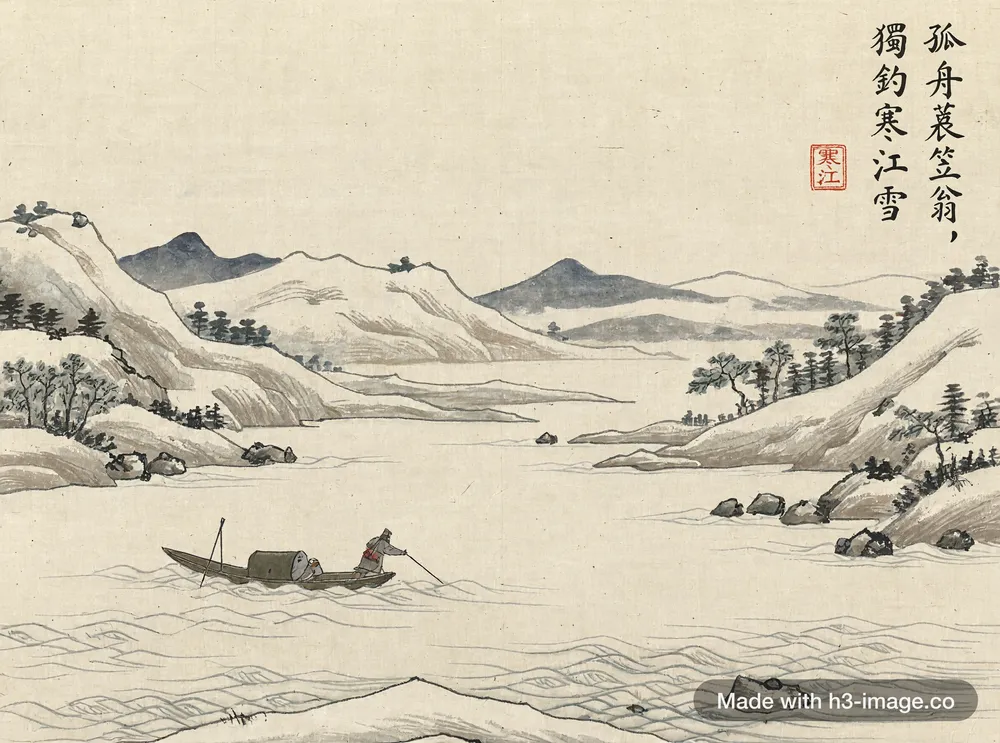
Write the prompt in Chinese, quote a poem or an idiom, and H3 Image paints the scene and writes the characters into it: vertical calligraphy, red seals, spring couplets on a door.
宋代山水畫風格,冬日寒江,大雪覆蓋遠山,江心一葉孤舟,舟上漁翁身披蓑衣、頭戴斗笠,獨自垂釣,畫面大片留白。畫面右上角豎排行書題詩「孤舟蓑笠翁,獨釣寒江雪」,題詩下方蓋一枚紅色方形印章,印文為篆書「寒江」。絹本設色,古畫質感。