20% offBlack Friday11d 03:20:21 left

H3 Image editing prompts: change one thing, keep the rest

Upload a photo, say what should change and what must stay, and H3 Image edits it from your words. These are real edits made on this site, each with the exact prompt: a colour swap, a new scene, a new angle, ad copy and a new colourway.

Add photos to edit them (up to 16)

New accounts get 20 free credits · See pricing

Not affiliated with MiniMax · Your images are never used to train AI · Privacy policy

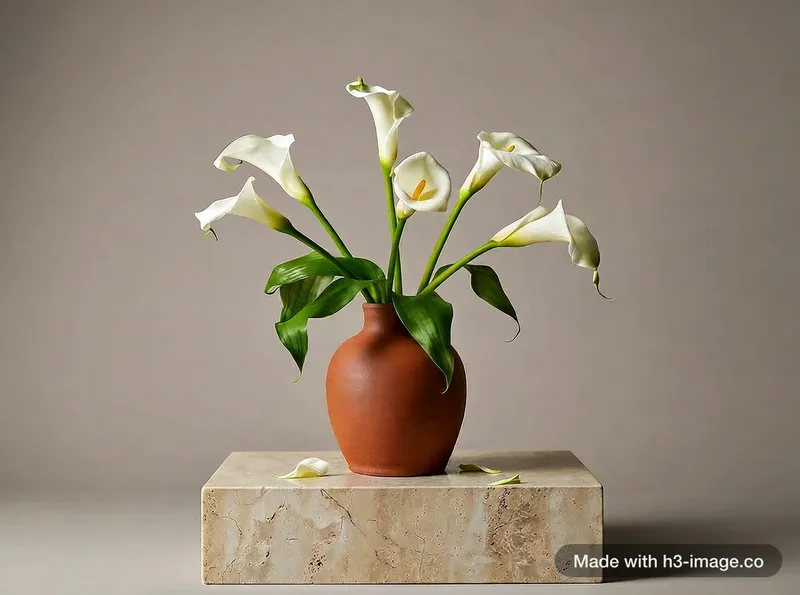
Change one thing: a vase from blue to terracotta
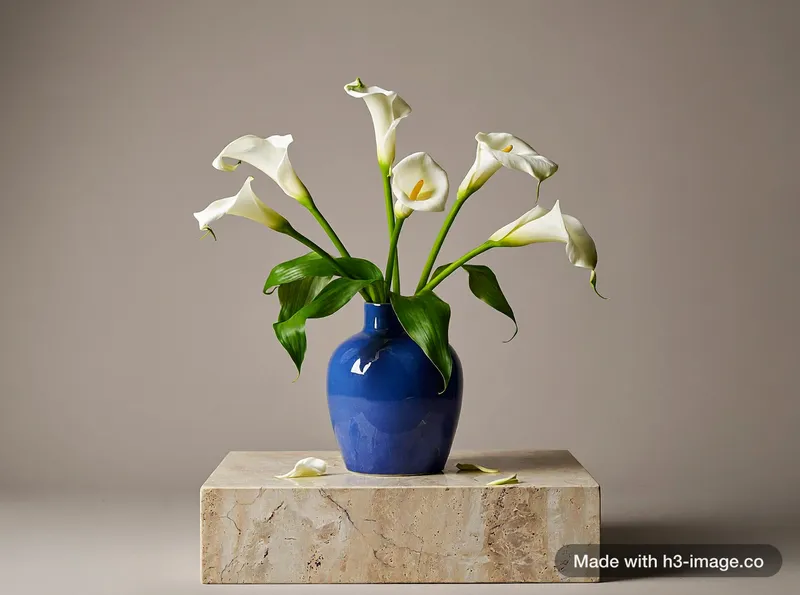
A cobalt blue ceramic vase with white calla lilies on a stone pedestal, soft studio light, plain warm grey background, still life photoBefore
Change the vase in <Picture 1> from blue to terracotta. Keep the flowers, lighting, shadows and camera angle the same.After
A real edit on this site. The left image is Picture 1; only the vase changed.
Edit prompt

Change the vase in <Picture 1> from blue to terracotta. Keep the flowers, lighting, shadows and camera angle the same.

The pattern behind every edit

An edit prompt has two halves: what changes and what stays. Say both, and refer to your photo by its number.

Template

Change [what] in <Picture 1> from [old] to [new]. Keep [what stays] the same.

How to run an edit

  1. 1

    Switch the generator to Edit image and add your photo. Each photo gets a number: Picture 1, Picture 2 and so on.

  2. 2

    Click a photo to put its tag in the prompt, then say what should change, in one sentence.

  3. 3

    List what must stay: shape, colour, logo, lighting, camera angle.

  4. 4

    Change one thing per run: the scene, the angle or the light, not all three, so the subject doesn’t drift.

Edit mode takes 1 to 16 photos at a time, as JPG, PNG, WEBP or HEIC, up to 10 MB each.

More edits, with the prompts that made them
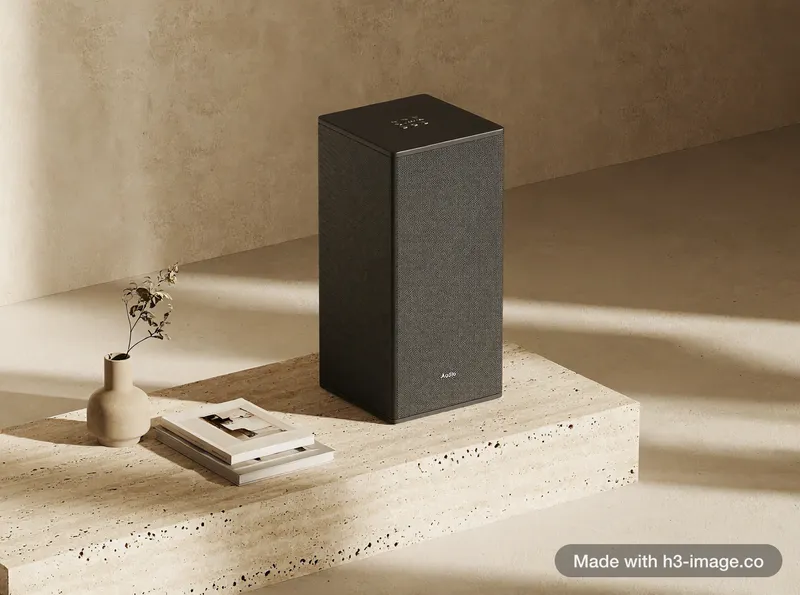
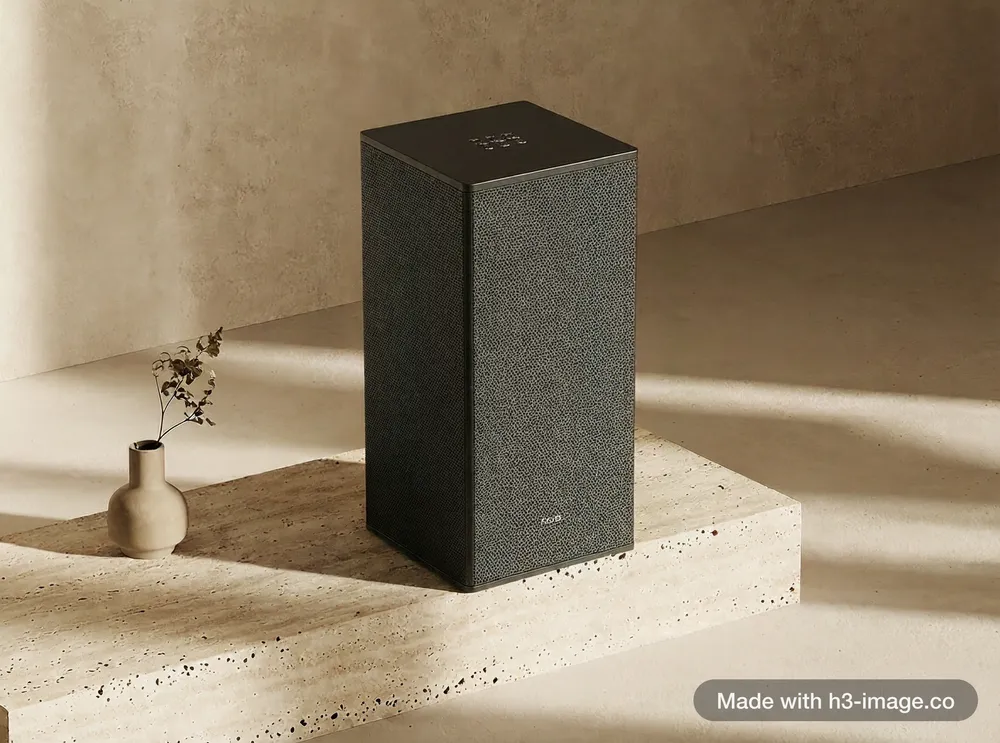
Reference photo of a matte black speaker on a travertine plinthPicture 1
Reference image (Picture 1) for the living-room, new-angle and poster shots: a speaker we generated earlier on this site.
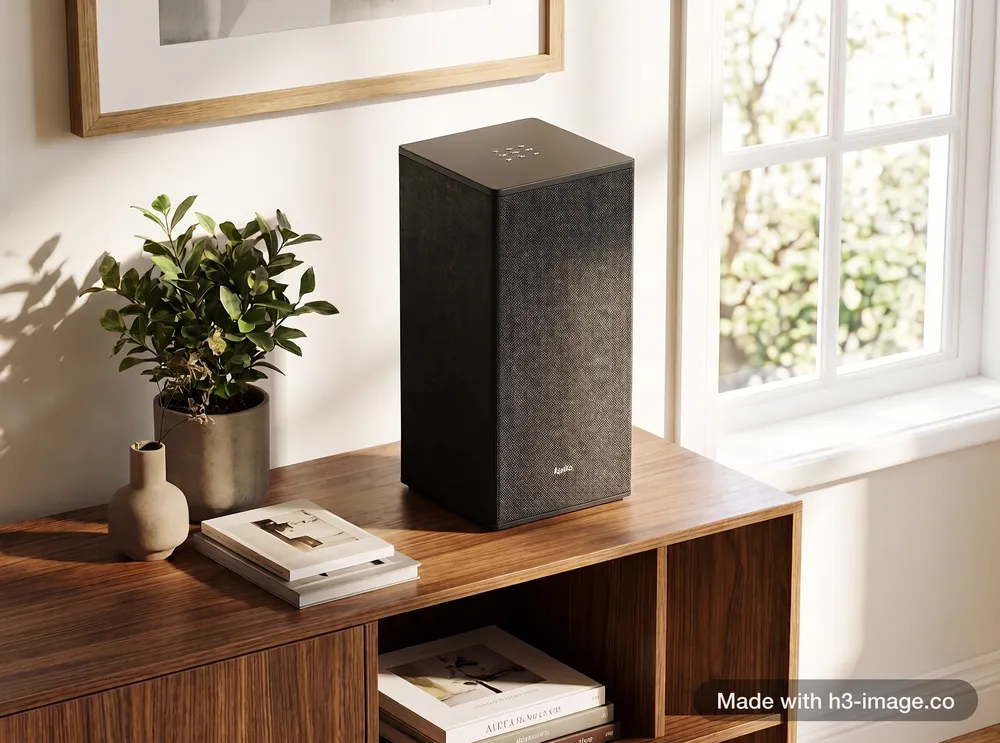
Place the speaker from <Picture 1> on a walnut bookshelf in a bright Scandinavian living room, a plant and a few books beside it, soft afternoon window light, lifestyle product photo. Keep the speaker's shape, matte black fabric, top buttons and proportions exactly the same.From Picture 1

Same product, new scene

Put the speaker into a living room, and list what must not change.

Prompt +

Place the speaker from <Picture 1> on a walnut bookshelf in a bright Scandinavian living room, a plant and a few books beside it, soft afternoon window light, lifestyle product photo. Keep the speaker's shape, matte black fabric, top buttons and proportions exactly the same.
Show the speaker from <Picture 1> from a low three-quarter angle on the same travertine plinth, with the same warm sunlight and beige backdrop. Keep its shape, matte black fabric and top buttons exactly the same.From Picture 1

Same product, new angle

Turn one photo into a set: other angles of the same product without a new shoot.

Prompt +

Show the speaker from <Picture 1> from a low three-quarter angle on the same travertine plinth, with the same warm sunlight and beige backdrop. Keep its shape, matte black fabric and top buttons exactly the same.
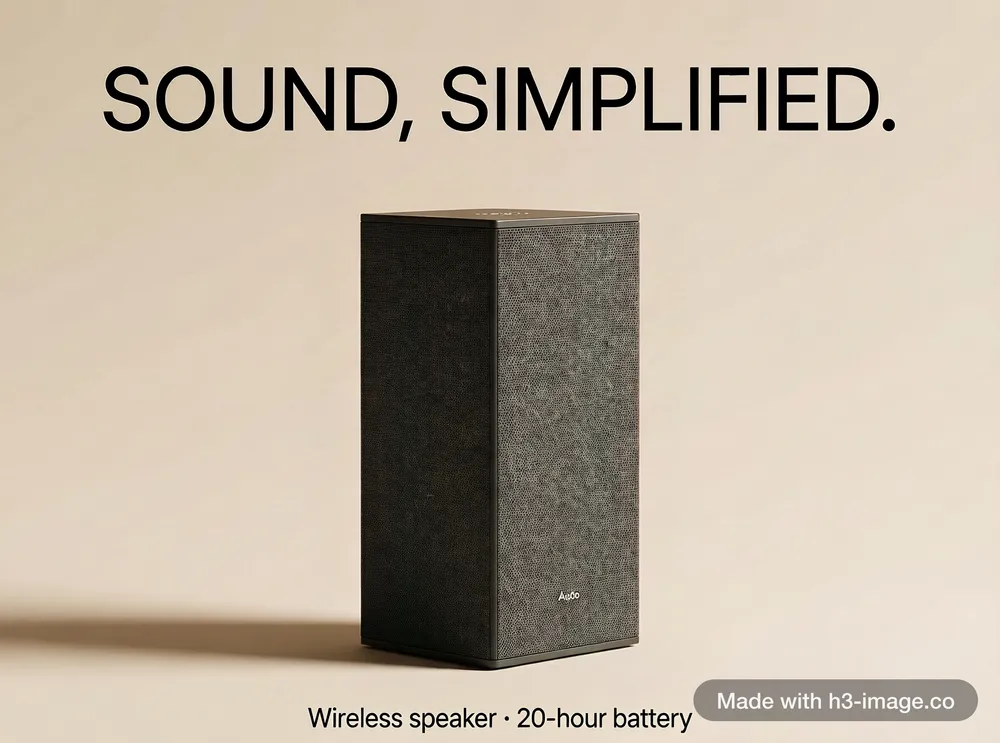
Minimal advertising poster featuring the speaker from <Picture 1> centred on a warm beige background with a soft shadow. Headline at the top in large clean letters: "SOUND, SIMPLIFIED." Small line at the bottom: "Wireless speaker · 20-hour battery". Keep the speaker exactly the same.From Picture 1

Add exact text

Put the headline and the small line in double quotes, and keep the product the same.

Prompt +

Minimal advertising poster featuring the speaker from <Picture 1> centred on a warm beige background with a soft shadow. Headline at the top in large clean letters: "SOUND, SIMPLIFIED." Small line at the bottom: "Wireless speaker · 20-hour battery". Keep the speaker exactly the same.
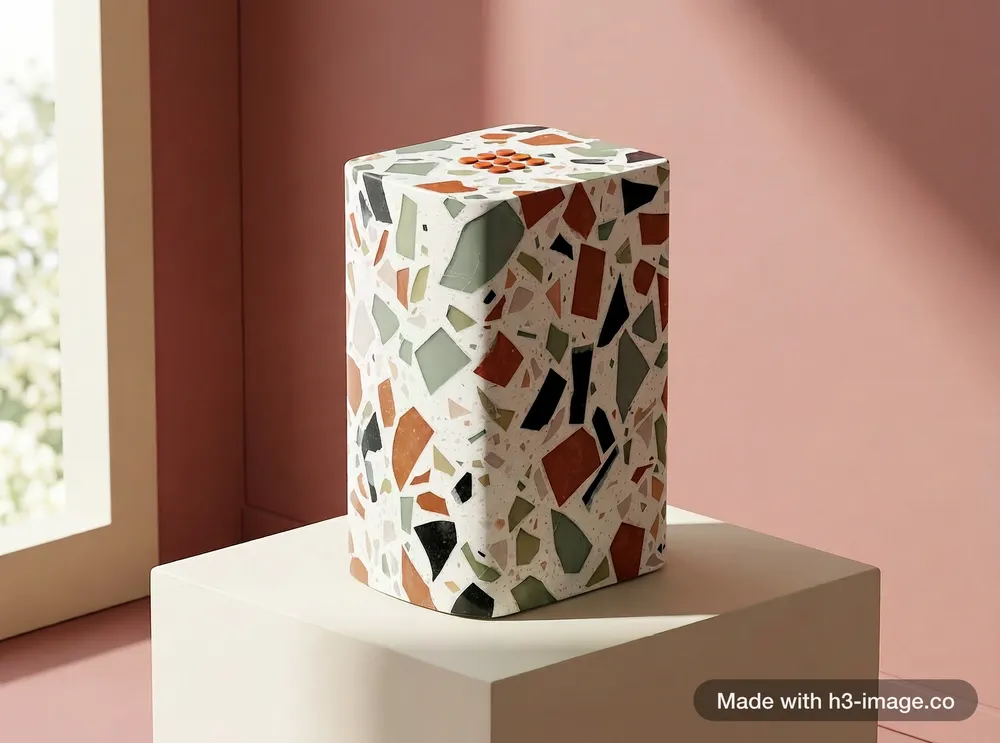
Create a limited-edition version of the speaker from <Picture 1>. Keep its shape, proportions and top buttons exactly the same, but cover its whole body in the terrazzo from <Picture 2>, and make the top buttons burnt orange. No logo, letters or text anywhere on the speaker. Studio product photo: the speaker stands on a cream plinth in front of a seamless backdrop in the dusty pink from <Picture 3>, soft daylight from the left.From 3 pictures

A new colourway from three pictures

Picture 1 is the speaker, Picture 2 a terrazzo sample and Picture 3 a colour card. The shape stays; the material and backdrop change.

Prompt +

Create a limited-edition version of the speaker from <Picture 1>. Keep its shape, proportions and top buttons exactly the same, but cover its whole body in the terrazzo from <Picture 2>, and make the top buttons burnt orange. No logo, letters or text anywhere on the speaker. Studio product photo: the speaker stands on a cream plinth in front of a seamless backdrop in the dusty pink from <Picture 3>, soft daylight from the left.

Every result here was generated on this site with MiniMax H3 Image, with no retouching. The prompt under each result is the exact text used.

What we checked: terrazzo body, orange buttons, pink backdrop and no logo, as asked. Slip: the edges came out slightly rounder than the original speaker.

Why an edit drifts, and what to do

  1. 1

    List what must not change: shape, colour, logo, materials, faces.

  2. 2

    Use the original file, not a copy with a watermark. In our tests a watermark in a reference could be drawn into the result.

  3. 3

    With many photos, say who is who and who holds what, one fact per sentence. In our 8-picture test a sea chart first ended up in the wrong hands; rewording the prompt that way clearly helped.

  4. 4

    To keep a face steady, first edit a full-length photo into a face close-up, then use both as references.

Where this comes from

  • It supports text-to-image generation, reference-based generation, and image editing.

    Hugging Face model card
  • MiniMax’s own announcement of H3 Image, for what the model is and what it is built to do.

    MiniMax announcement
Guides

More H3 Image prompts

  • MiniMax H3 Image example: Game art

    Game art

    Describe a level, a ruin or a prop set and get engine-style concept art that sticks to what you wrote.

    Game asset prompts
  • MiniMax H3 Image example: Character sheets

    Character sheets

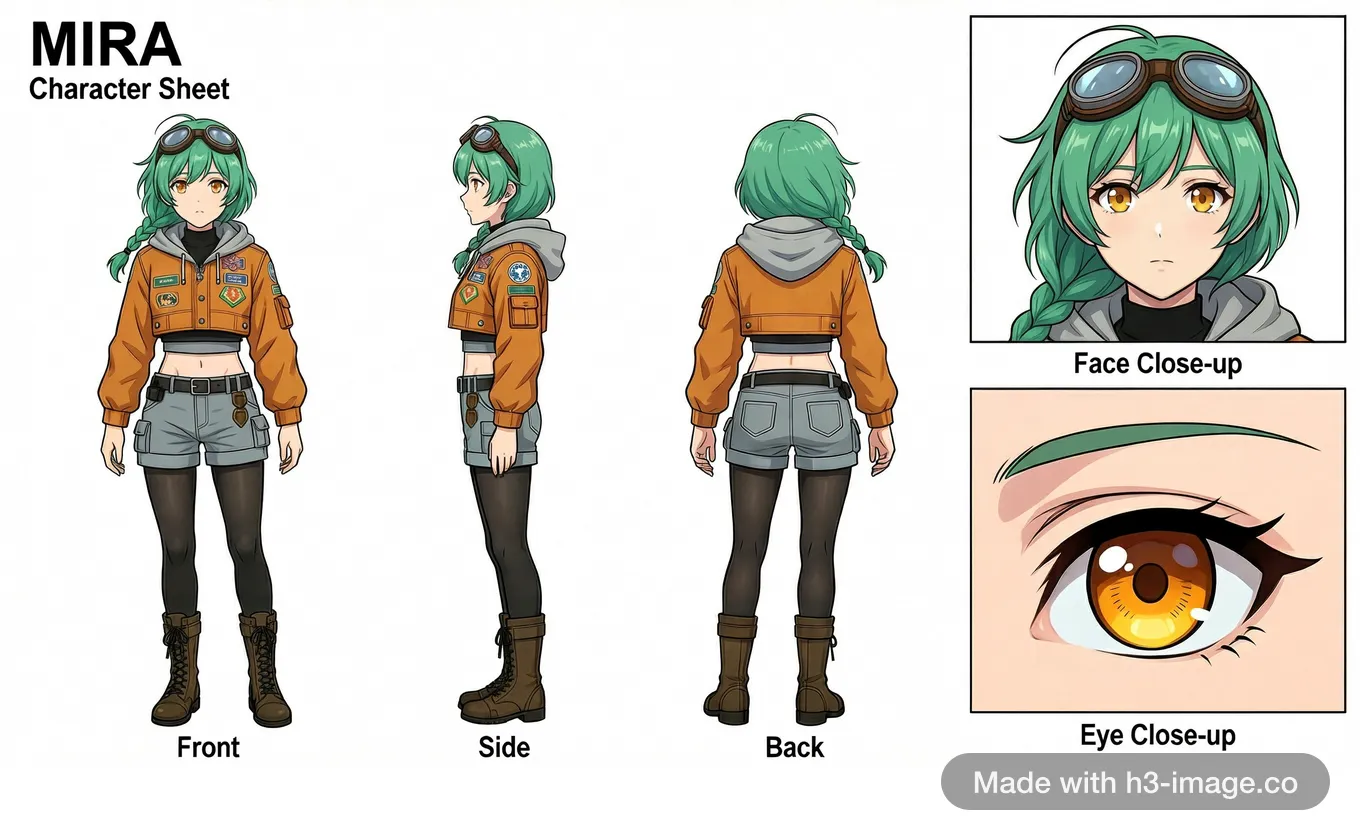
    Upload one photo or a few screenshots of a character, or describe one in a sentence, and these character sheet prompts give you a model sheet with labelled turnaround views and close-ups.

  • MiniMax H3 Image example: Text in images

    Text in images

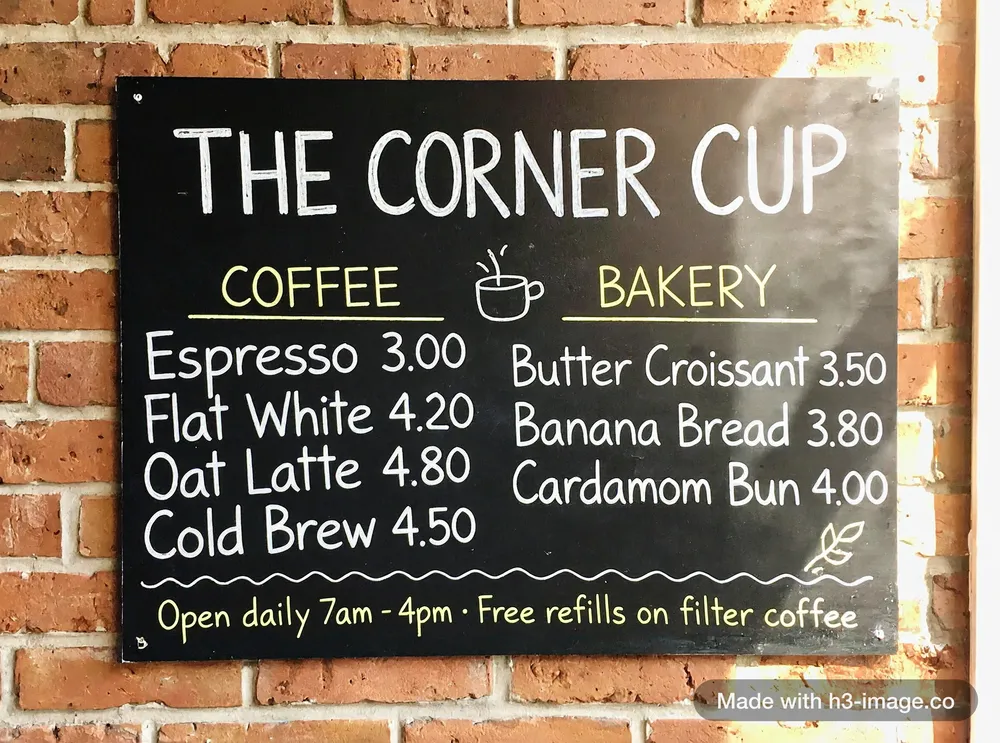
    Menus, letters, labels, signs and infographics with the exact words you typed.

    Text-in-image prompts
  • MiniMax H3 Image example: Portraits

    Portraits

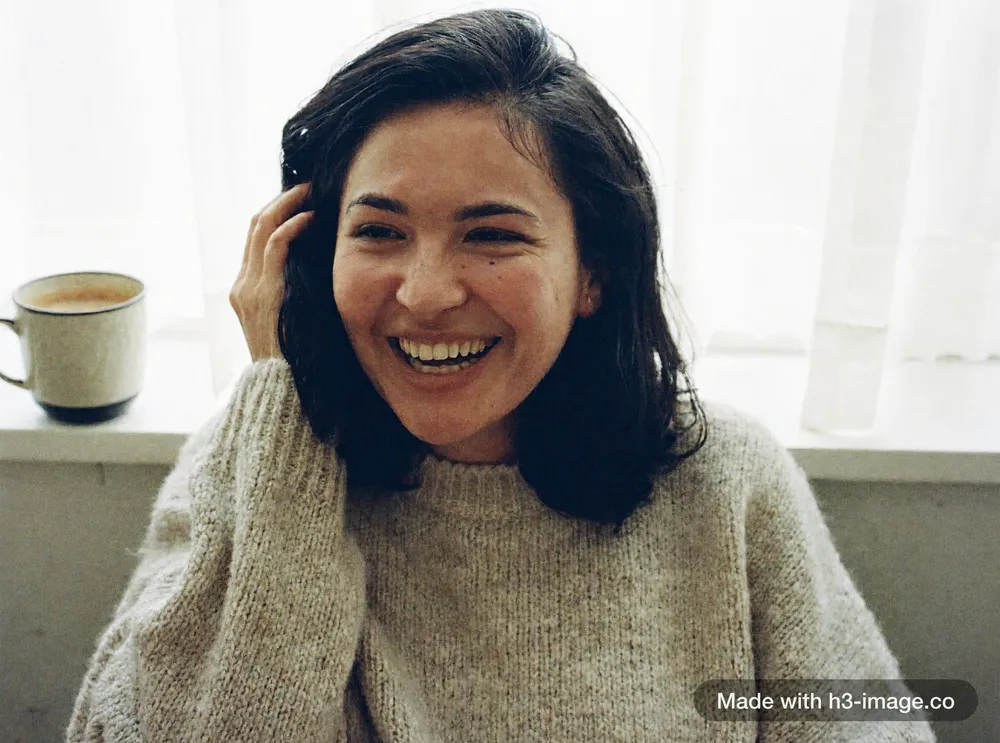
    Close-ups with real skin, stray hair and natural light, and candid frames that look like someone just picked up a camera.

    Portrait prompts
  • MiniMax H3 Image example: Product shots

    Product shots

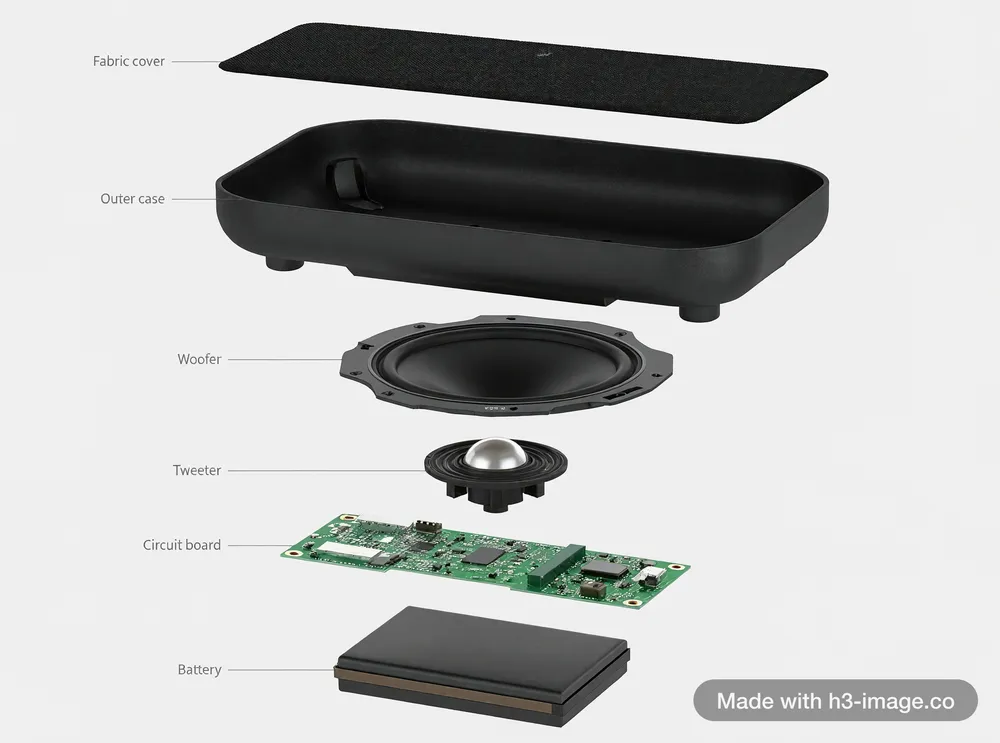
    Start from one photo of your product and get it in a new scene, from a new angle, as a technical breakdown or in a finished ad, with its shape, colour and details kept the same.

    Product photo prompts
  • MiniMax H3 Image example: Film stills

    Film stills

    Frames that look shot on film rather than rendered: real materials, natural light and a camera you can place.

    Cinematic prompts
  • MiniMax H3 Image example: Many references

    Many references

    Upload up to 16 images at once (people, props, a place, a painting style, a colour card) and say in one prompt how they fit together.

  • MiniMax H3 Image example: Chinese calligraphy

    Chinese calligraphy

    Write the prompt in Chinese, quote a poem or an idiom, and H3 Image paints the scene and writes the characters into it: vertical calligraphy, red seals, spring couplets on a door.

All H3 Image prompts

Make your first H3 image

Your text goes into the prompt box at the top of the page, with the credit cost shown before you run it.